MERCADO PAGO - Desktop
Invoice Issuer
Case
Problem
Context: As small and medium enterprises grow and expand nationally, they face the complexity of Brazilian taxation. The ICMS (state sales tax) varies from state to state and merchants frequently had to charge the customer on the card machine and use a third-party system — or even paper — to issue the invoice, causing checkout delays and manual errors. Research indicates that issuing invoices directly from the platform is one of the biggest unmet needs in sellers' daily operations.
Value proposition: Eliminate the seller's manual rework by unifying the sale record, payment and tax obligation in a single ecosystem, transforming Mercado Pago into the store's complete operating system. Tax issuance becomes a natural consequence of an already recorded sale, allowing the merchant to focus on service and strategy.
The solution: The invoice issuer is a central module of the Mercado Pago Management Software (SWE). It works integrated with the POS and Product Catalog, updating inventory and generating the invoice with pre-configured tax data at each checkout. It allows issuing, printing, downloading and emailing NFe (web) and NFCe (web and Smart terminals) invoices, also evolving to a self-invoicing model where the buyer fills in their own data.
Business impact: Making the invoicing tool available serves the "move up market" strategy, being an essential tool to attract and retain larger merchants. By resolving legal obligations directly on the platform, Mercado Pago increases the exit barrier, reduces churn and elevates the primacy of PJ accounts and management tools.
User profile and the problem
Understanding who our merchants are
Segment: Small and Medium Businesses (SMBs), sellers with higher revenue (HiLo segment) and mostly Legal Entity (PJ) accounts. They are physical and hybrid merchants — physical and online — who are in a business scalability phase.
Main merchant pain points
- Complexity and bureaucracy: Taxation in Brazil is a major pain point, with tax fluctuations like ICMS that vary state by state, requiring a lot of administrative time.
- Rework and disconnected systems: Merchants had to charge on the card machine and use a third-party system or paper to issue the invoice, causing checkout delays and manual errors.
- Frustrated expectations at point of sale: Research shows that issuing an invoice directly from the card machine is one of the biggest unmet needs and opportunities in sellers' daily routine.
Entry point: sales list
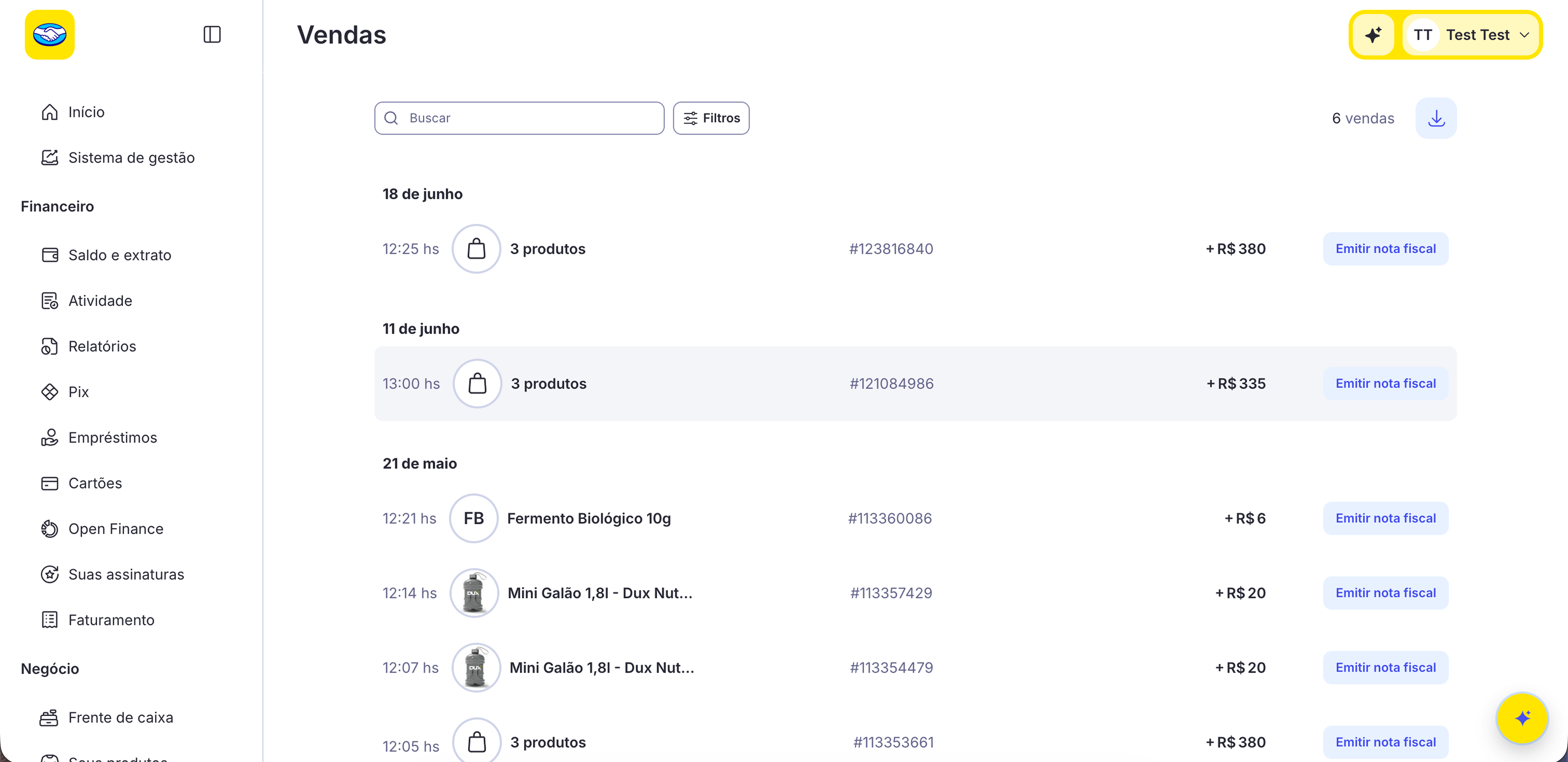
The solution
Features and issuance flow
The issuer offers complete omnichannel support: NFe (via web) and NFCe (via web and Smart terminals). Merchants can issue generic invoices (general public) or named ones (with specific customer data). For named invoices, the solution evolved to a model where the buyer fills in their own data via QR Code, virtually eliminating the merchant's workload at checkout.
Native integration with the POS and Product Catalog updates inventory and generates the invoice with pre-configured tax data at each checkout, making the process completely fluid.
Issuance flow
From type selection to confirmation
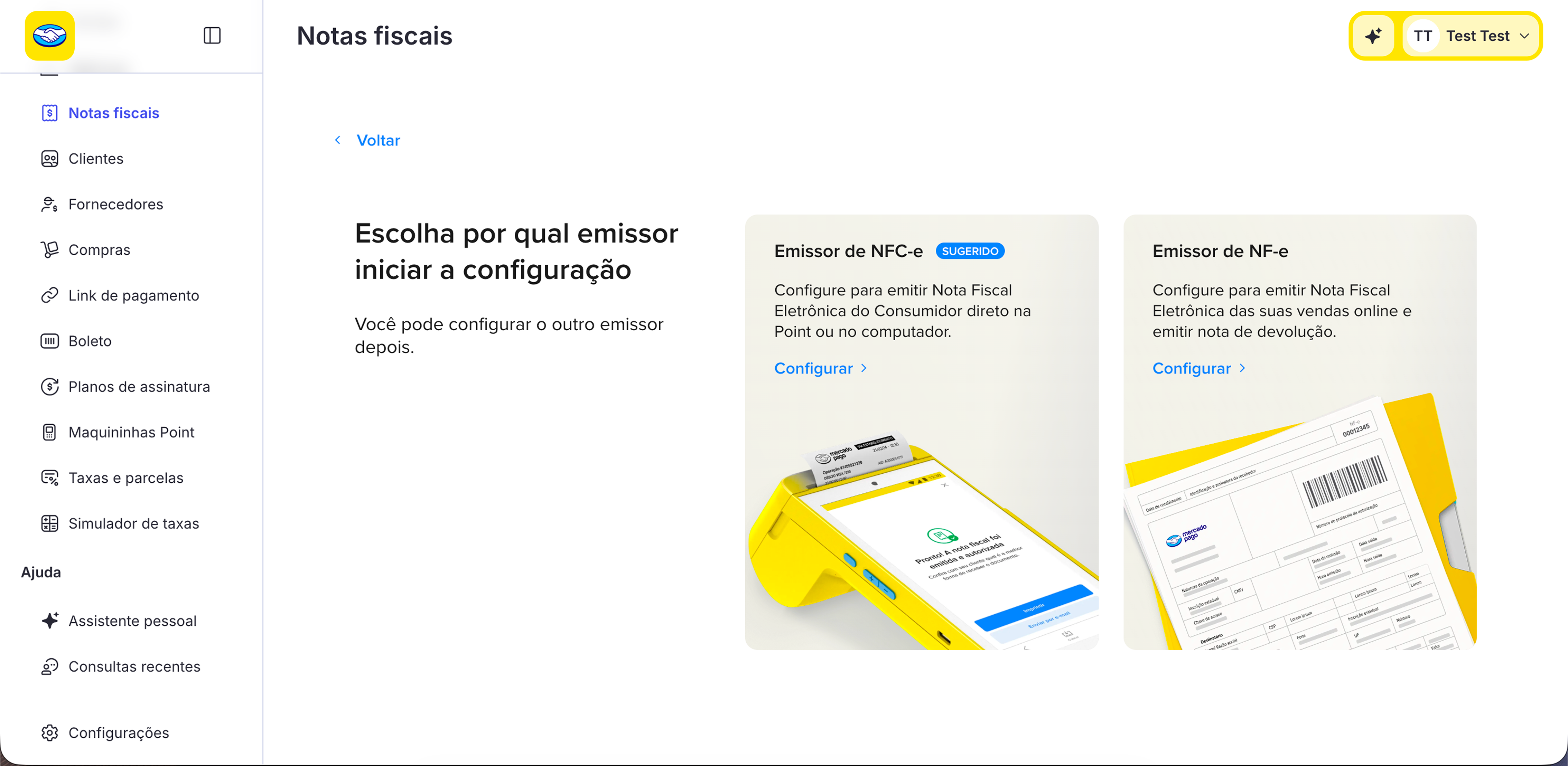
Step 1 — Invoice type selection
The merchant chooses between issuing an NFCe (Electronic Consumer Invoice, for in-person sales to end consumers) or an NFe (Electronic Invoice, for business-to-business sales or higher value transactions). The clear separation prevents tax errors and guides the user through the correct flow.
Access bifurcator
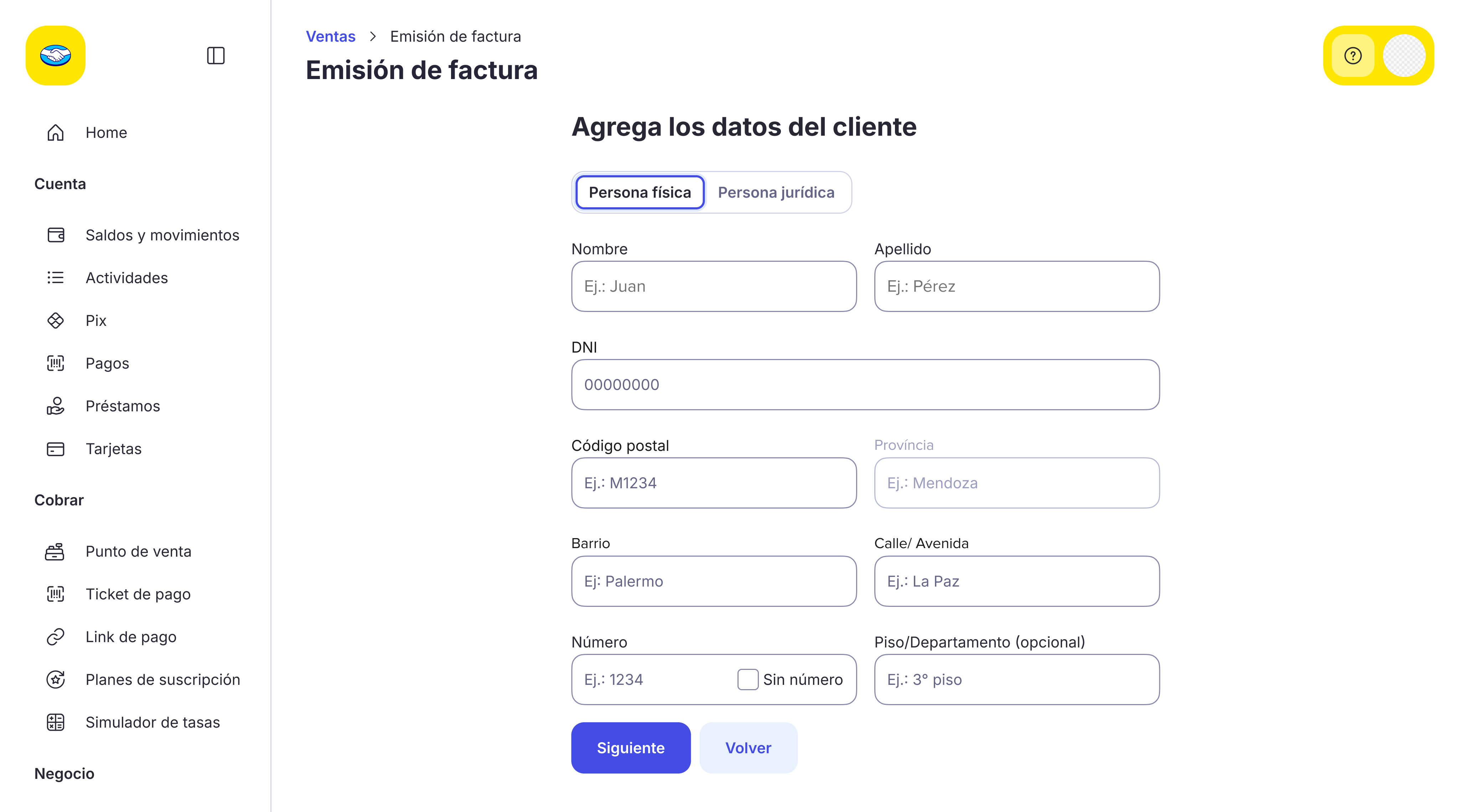
Step 2 — Recipient data
For named invoices, the merchant enters the customer's data or activates self-invoicing: the buyer receives a QR Code on the Smart machine receipt and fills in their own data, eliminating the checkout workload. The form was designed to be fast, with essential fields and progressive completion.
Customer data
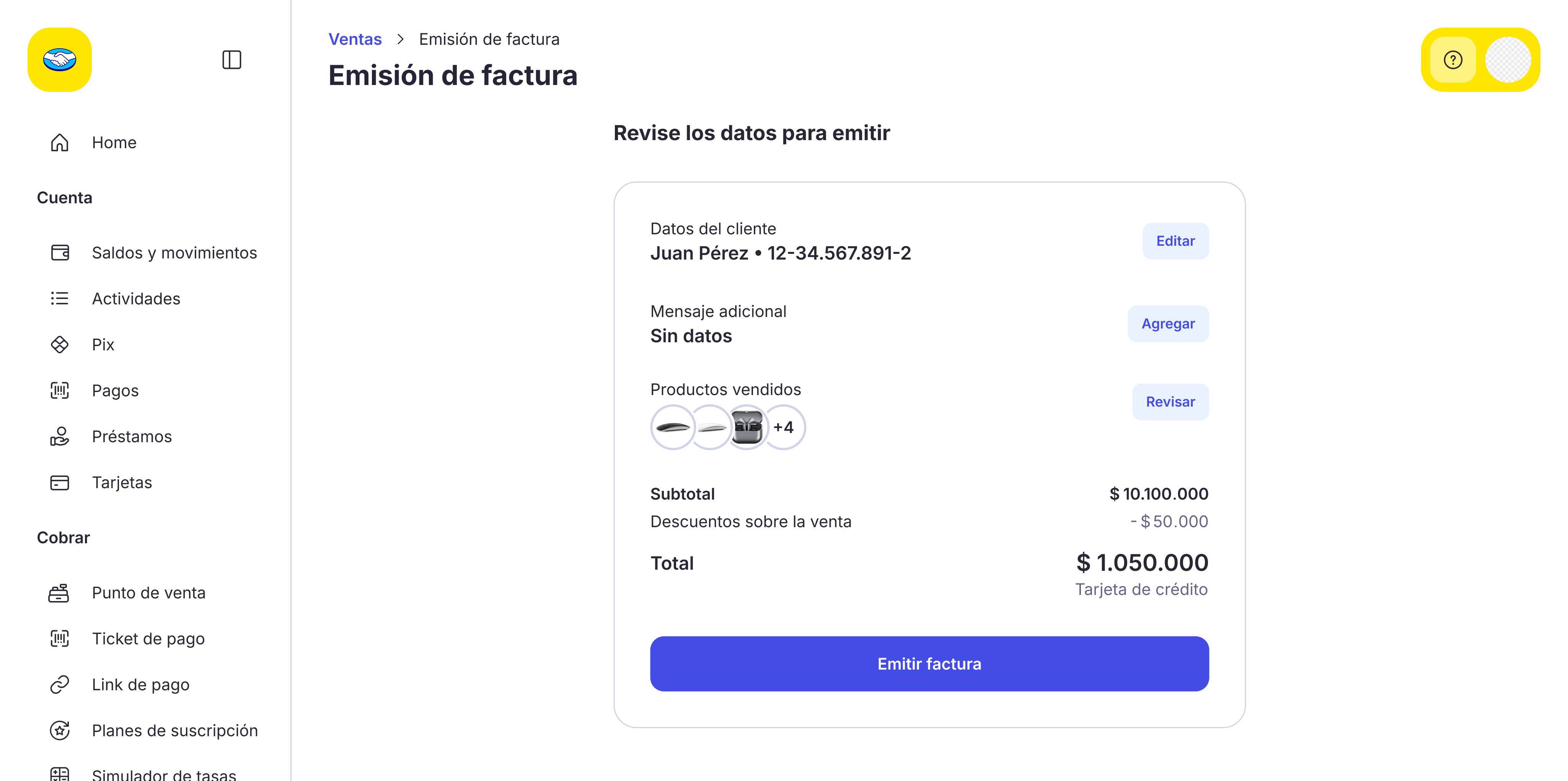
Step 3 — Review and confirmation
Before issuing, the merchant reviews all invoice data: items, amounts, taxes and recipient data. This step reduces issuance errors and gives the user control and confidence before the irreversible action of submitting to the tax authority.
Review and confirm
Steps 4 and 5 — Issuance and success confirmation
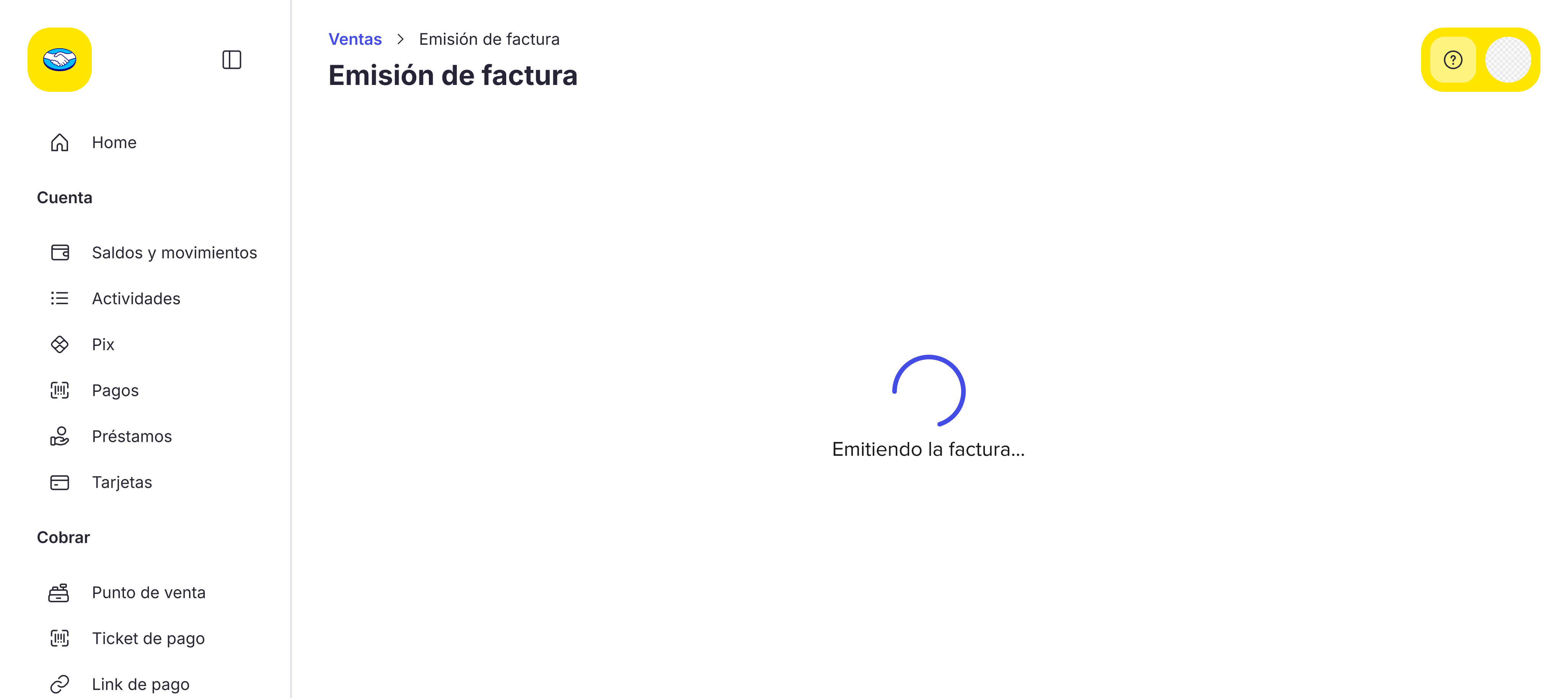
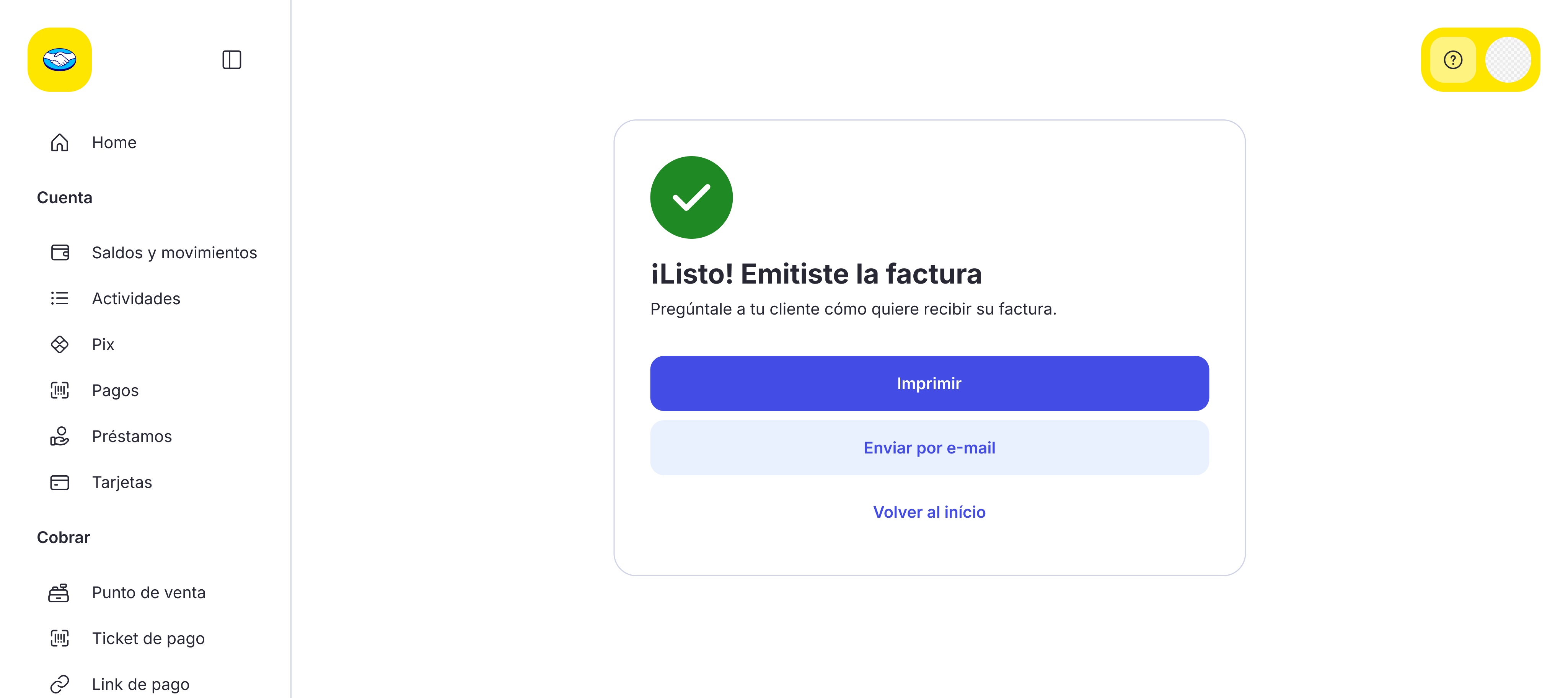
After confirming, the system processes the invoice with the tax authority in real time. The loading state keeps the user informed, and the success screen confirms the invoice was issued with options to print, download or email it.
Loading
Invoice successfully issued
Business impact
Reduction in PJ merchant churn
Merchants using the invoicing tool show higher retention on the platform.
Move up market strategy
Essential tool to attract and retain larger merchants and PJ accounts.
PJ account primacy
Increased use of management tools and PJ account as main financial hub.
The invoicing tool transforms Mercado Pago into the store's complete operating system — unifying sale, payment and tax obligation in one place.
Designers on the project

Luiz Felipe Nepomuceno
Sr. UX Designer

Gabriel Gonzaga
Project Lead Designer

Soraia Shell
Semi Sr. UX Writer

Camila Ramos
Semi Sr. UX Designer